Switching from Drupal to WordPress: Comparison & Safe Migration

Drupal is powerful—but often too complex for day-to-day use. I'll migrate your website to WordPress so your team can maintain it without needing a developer.

Common Drupal Pain Points

Nothing works without developers

Even small changes in Drupal often have to go through an agency or developer—which takes time and money. With WordPress, your team can manage content and pages on its own.

Major Upgrades with Breaks

Upgrading to a new major version of Drupal is notorious: modules and themes have to be adapted or replaced, and the upgrade often feels like building a whole new site from scratch. WordPress, on the other hand, updates itself continuously.

Too much of a system for the task

Drupal was built for complex portals—for a corporate website, the backend is often simply overkill. Editors struggle with structures they’ll never need.

Drupal vs. WordPress: A Comparison

Drupal and WordPress are both mature open-source systems—but they’re designed for different purposes. Drupal excels at handling complex portals with many roles and workflows. For a traditional corporate website, it’s usually overkill: What takes just one click in WordPress often requires a developer in Drupal.

Drupal WordPress
Operation Complex backend, developer-heavy Can be maintained independently after a brief training session
Updates Major upgrades often require dedicated migration projects Continuous updates, minimal effort
Service Provider Market Specialists Are Scarce and Expensive Large—no dependence on individuals
Extensions Modules often require developer assistance Huge plugin ecosystem plus custom development
Ongoing Costs Plan for regular developer hours Manageable maintenance

To be fair: Large portals with finely granular permissions, complex workflows, and their own development teams are still well-served by Drupal. For everyone else, switching to WordPress is usually the more cost-effective solution—at the latest when the next major upgrade is due.

What's Involved in Switching from Drupal to WordPress

kicker_ablauf

Here's How to Switch from Drupal to WordPress

  1. Assessment: I’ll review your Drupal website—content types, modules, URL structure—and determine what can be carried over and what would be better addressed with a new solution.
  2. Proposal & Binding Quote: You will receive a binding quote that clearly outlines the scope of work, the timeline, and an estimated start and end date for each work package.
  3. Parallel Development & Design Replication: The new WordPress website is built in a protected environment—your design and templates are replicated individually in WordPress, while your Drupal site continues to run unchanged.
  4. Content Migration & Redirects: Your content will be fully migrated and reviewed, and every old URL will be set up with a 301 redirect.
  5. Launch & Training: Switchover on the date of your choice, training for your team, and follow-up review of the rankings.

The Investment

How much does it cost to migrate from Drupal to WordPress?

Switching from Drupal to WordPress is not technically just a migration, but a complete rebuild: I’ll transfer all the content to WordPress—but the design and templates will need to be recreated from scratch, since Drupal themes cannot be transferred on a 1:1 basis. Pricing is therefore calculated on a case-by-case basis depending on the scope—with a binding range estimate for each work package rather than a flat fee with no clear parameters.

Because the design, structure, and content are already available as a template, you’ll save significantly compared to a completely new website—the time-consuming conceptual phase is largely eliminated, and the redesign is based on the existing model. The cost overview provides a guide to the price range (a new website starts at 2.490 € net).

It’s often worth taking advantage of the transition to refresh the design or carry out a redesign: Since the site is being rebuilt anyway, modernizing it at the same time costs significantly less than a separate relaunch at a later date. You’ll receive the exact scope after the free assessment.

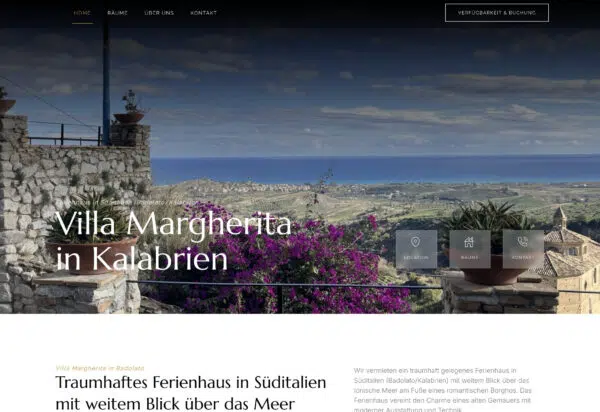
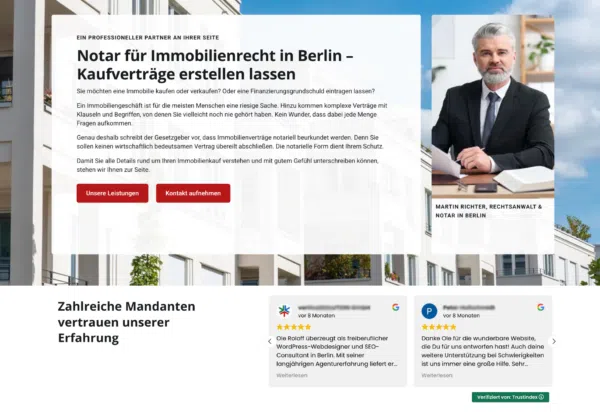
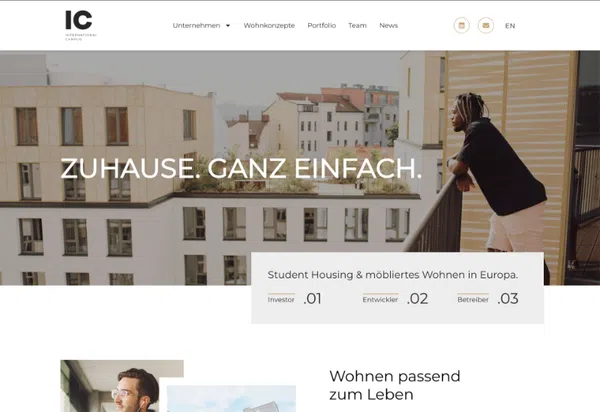
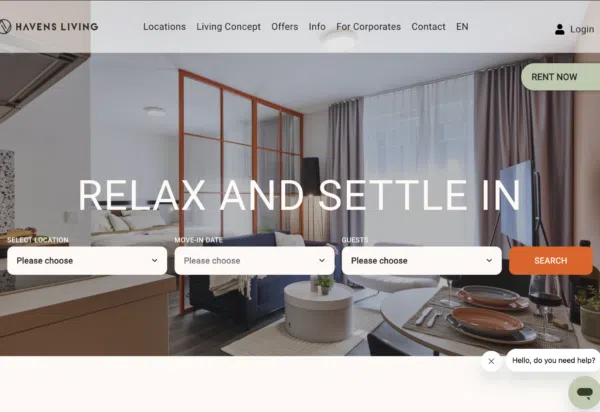
Web Design Examples: Here's What Your New Website Could Look Like

What My Clients Say

Let's talk about your switch to Drupal

As part of the free assessment, I’ll review your Drupal website and provide you with an honest evaluation of whether and how the switch would be worthwhile for you—with no obligation.
Attachments:

Frequently Asked Questions About Switching from Drupal to WordPress

Drupal remains a strong choice for complex portals with many roles and workflows. For a traditional corporate website, WordPress is usually the better choice: it’s easier to maintain, more cost-effective to operate, and offers a much larger selection of plugins and service providers.

Yes—content, taxonomies, media, and users are migrated in a structured manner and verified against the original. Specific Drupal modules do not always have a direct 1:1 counterpart; in such cases, their functionality is reimplemented using proven WordPress solutions—often in a more streamlined way than before.

Google generally re-evaluates a migrated website—fluctuations can never be completely ruled out. However, by setting up 301 redirects for every old Drupal URL, carrying over metadata, and monitoring the process through Google Search Console, I minimize the risk and make adjustments as needed after the site goes live.

Depending on the scope, this typically takes 3 to 8 weeks. Your existing Drupal website will continue to run without interruption—the switch will not take place until the new WordPress site has been fully tested.

A migration involves rebuilding your site in WordPress and is priced individually based on scope—with a binding range estimate rather than a flat fee. Since the design, structure, and content already exist, you’ll save money compared to building a completely new website; it’s often worth taking advantage of the migration to give your site a design refresh. You’ll receive the exact scope after the free assessment—you can find approximate figures on the Costs page.

If your website is a complex portal with finely granular permissions and workflows, and you have in-house development expertise or a reliable partner—then Drupal remains a solid foundation. The switch is particularly worthwhile for corporate websites where the complexity costs more than it’s worth.